Help
How can we help?
Creating and publishing your invitation is free; fees apply only to gifts.
Find your topic
Your questions, answered
20 answers
Create and publish4
How do I create my celebration?
With a three-step wizard: what you're celebrating, the essentials (names, date and city) and a few details you can skip. When you finish, your event already has its own link and the editor is open.
Can I keep it private until I'm ready?
Yes. Every celebration starts as a draft that only you can see. It goes public the day you decide to publish it, and in the meantime you can change the date, venue and design.
Can I keep it from showing up on Google?
Yes, it's an option in the editor. Your invitation still opens from its link, but search engines are asked not to index it.
How much can I customize it?
Choose from more than thirty designs, more than sixty ready-made palettes and more than fifty heading fonts, then adjust four colors (background, text, accent and secondary) or set a background gradient. The invitation has fifteen sections, twelve of them can be turned on or off individually and you can add sections of your own; on several you can rewrite the title and add supporting text. All with a live preview as you edit.
Photos, music and schedule3
How many photos can I upload?
The gallery holds up to 40 photos per event, up to 10 MB each, in JPEG, PNG, WebP or GIF. The cover takes a single photo. Lighter versions are generated automatically as you upload, so the invitation loads fast on phones.
Can I add music to the invitation?
Yes, in two separate ways. You pick the opening song by searching the iTunes catalog or uploading your own file (MP3, M4A, AAC, WAV or OGG, up to 30 MB); it plays when a guest opens the envelope, loops, and leaves a floating button you can show or hide. Separately, guests can suggest a song when they RSVP by searching Spotify: when parati has Spotify connected, the first suggestion creates a public playlist for the event, and the rest are added to it.
What can I include in the schedule and the venue section?
Each activity has its type, date and time, a place name, a location link and, if you like, a custom label and an animated icon. The activity types on offer depend on the kind of celebration. The venue section shows either an embedded map or just the “Cómo llegar” (directions) button, and if your schedule has several places, they're listed as stops in order. Guests can also add the event to their calendar.
Guests and RSVPs3
Do my guests need to sign up?
No, not to RSVP and not to give a gift. They type their name and that's it. If they come back later with the same email or phone number, their RSVP is updated instead of duplicated, and they can edit what they sent.
What does the RSVP form ask for?
First and last name are required, plus at least a phone number or an email. Guests can also leave you a personal message, suggest a song and add the people coming with them, with each one's first name, last name and relationship. There's no limit on companions, or on total guests.
How do I know who gave what, so I can thank them?
The “Ingresos” (Income) tab lists approved orders with each guest's name, their email and phone if they left them, whether they RSVP'd and which gifts are already complete. The personal message they wrote you is in the “Invitados” (Guests) tab, next to their RSVP. Your guests, on the other hand, only see how much is left to complete each gift, never who chipped in or how much they gave.
Gifts, fees and payouts4
How much does parati cost?
Creating, designing, publishing and sharing your celebration is free: there's no plan and no subscription. parati charges a fee on the gifts bought from your registry, and you choose whether your guest covers it or you do. The calculator on the gift registry page shows, in soles, what your guest pays and what you receive in each case, and your guest sees the fee as a separate line before paying.
How can my guests pay?
By card or Yape (Peru's mobile payment app). Each method shows its own payment gateway fee next to the switch that turns it on, separate from parati's fee. Your guest pays on a parati page, without being sent anywhere else. Plin isn't accepted today.
How is El Sueño different from a regular gift?
A regular gift has a price and a quantity, and it can be split into shares so several guests can go in on it together from the store. El Sueño (“The Dream”) is a big gift for the whole event: instead of stock, it has a goal and a minimum contribution that you set, and each guest gives whatever amount they like right from the invitation, with its progress bar in plain view. Everything contributed to El Sueño carries the same fee as any gift: if your guests cover it, it reaches you in full.
How do I receive the money raised?
parati keeps each guest's gift safe until it's handed over to you. Whenever you want to get paid, tap “Solicitar desembolso” (Request payout) in “Ingresos” (Income) and we deposit it into your CCI account (Peru's interbank account number): the request is approved within 1 business day and the money arrives within 2 more business days. You enter your payout details (account holder, ID document and account) just once in your profile settings. Each celebration's first payout is free; later ones cost S/ 15.
If you're a guest6
Do I need an account to RSVP or give a gift?
No. You open the link you were sent, RSVP or choose a gift, and pay without signing up for anything.
Is it safe to pay for the gift here?
Yes. Card and Yape payments are processed by an authorized payment gateway, not by the invitation, so your card is never stored on anyone's page. If the celebration accepts Yape or bank transfer directly, you upload the operation number and a photo of the receipt, and our team checks that the money arrived.
Why is there a separate charge when I pay?
It's parati's fee plus the payment gateway's. The organizer chooses whether their guests cover it or they do, which is why you sometimes see it as a separate line before paying and sometimes don't.
Do I get a confirmation of my gift?
Yes. Once the payment is approved, a confirmation email goes to the address you gave when paying.
I was charged twice or the amount is wrong. What do I do?
Write to us on WhatsApp or at soporte@paratipe.com with the operation number. Duplicate charges, charges you don't recognize and wrong amounts are refunded in full, fee included, to the same payment method within 7 business days of confirming the error.
I lost the invitation link. How do I get back to it?
Ask the person who invited you for it again: each invitation has its own link, and that's the quickest way back.
We couldn't find that one. Message us and we'll help.
Message us on WhatsAppInvited to celebrate? Here’s what you need
Open the link you received.
RSVP or give a gift without an account, by card or Yape.
Once your payment is approved, confirmation arrives by email.
Charged twice or the wrong amount? A full refund, including fees, within 7 business days of confirming the error.
WhatsApp ↗See questions for guests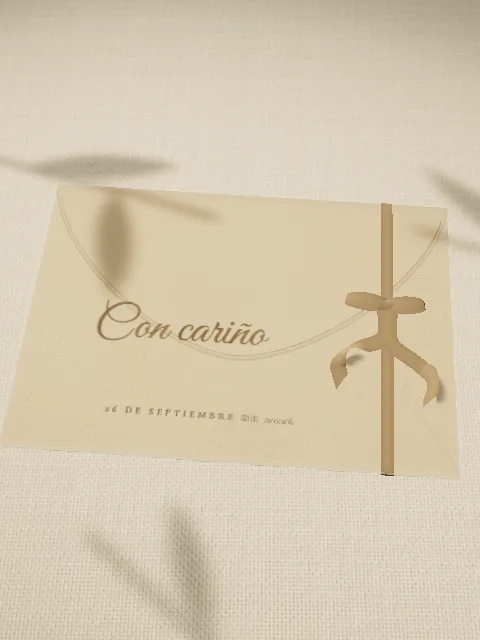

A little inspiration. One step closer.
Guides for your celebration

How much a digital invitation costs in Peru (2026)
Real 2026 prices for digital invitations in Peru: packages from S/ 59 to S/ 259 per celebration, what each includes, and parati's free option.

How to ask for money as a wedding gift without making it awkward
Wording for asking for money on your wedding invitation, where to put it and what to avoid, so guests can help with your honeymoon or your new home.

Lluvia de sobres: what it is, how much to give and invitation wording
What a lluvia de sobres is, how to decide how much to give without made-up averages, and 7 lines to put it on a wedding or quinceañera invitation.
Ready to celebrate what matters?
Create your celebration in minutes and share it with the people you love.
Publishing is free; there is a fee only when you receive a gift · your guests don't need an account · Secure payment
Would you rather we help?WhatsApp